


Mirror Plus - HD Mirror app
4.830.95K Reviews
App Specs
- Version
- 4.4.15
- Updated On
- License
- Free
- Downloads
- 10,000,000+
- Developer
- Digitalchemy, LLC
- Categories
- Beauty
- Platform
- Android, iOS
Screenshots
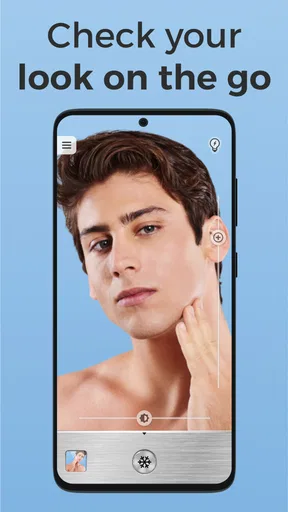
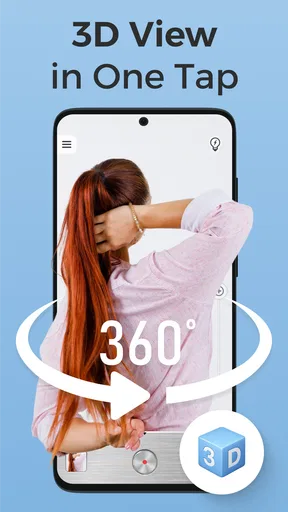
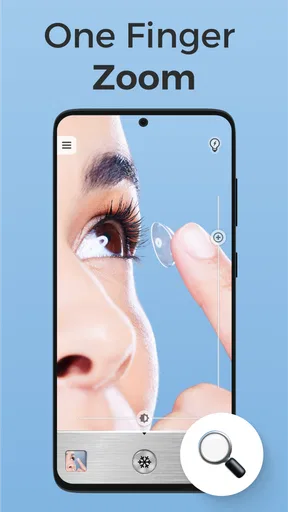
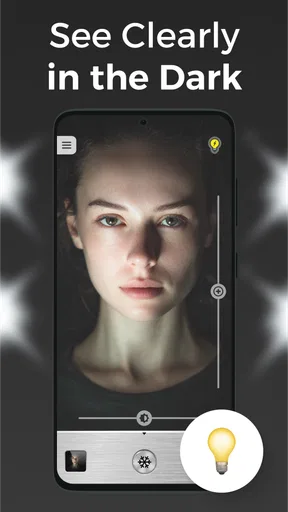
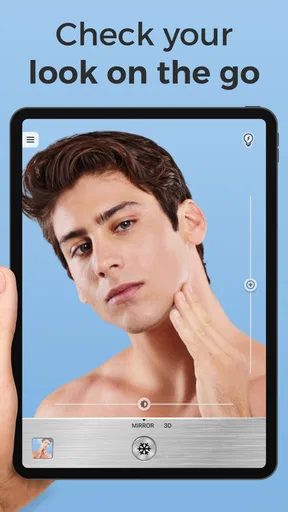
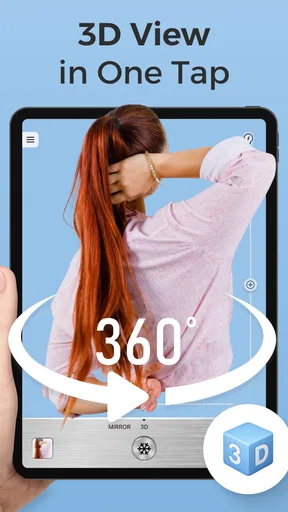
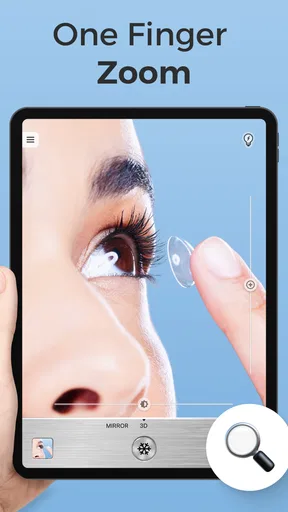
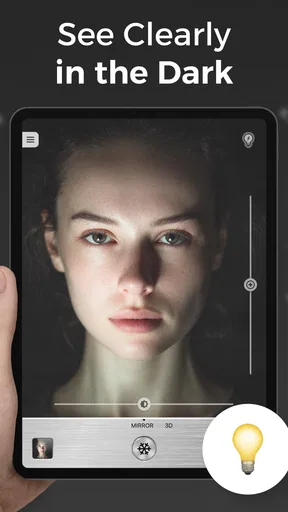
 Analysis by AppCompare
I reach for a phone mirror when I need a quick check and there isn’t a proper one nearby: before walking into a meeting, after lunch, or while touching up makeup away from home. Mirror Plus - HD Mirror is built around that small, practical job. Its most useful idea is not simply showing my face on a screen, but letting me enlarge and pause the image when a normal glance is not enough.
A mirror that can zoom in when details matter
On a regular mirror, I can move closer, but that is awkward when I’m trying to keep both hands free or inspect one small area. A phone mirror with a zoom control gives me another way to check detail. That can help with a smudge of eyeliner, a stray hair, or a bit of food caught near a tooth. The distinction matters: this is still a reflection, not a camera-based beauty editor, and its value is in making a quick visual check easier rather than changing how I look.
The freeze option is useful for a different reason. If I pause the image, I can look at a moment without having to hold my face perfectly still. For makeup, I can inspect one eye and then return to the live view to make an adjustment. I would not treat a frozen image as a perfect record of how I look in motion, but it can be a convenient reference when I need both hands for a few seconds.
How the controls fit into a quick routine
The app keeps its main purpose easy to understand: open it, check the image, and use the controls if the situation calls for them. Pinch gestures make zooming feel familiar, while brightness adjustment can help when the room is dim or the display looks too bright for the surroundings. I find it more useful to make small changes and reassess than to push either control to an extreme; too much magnification or brightness can make a quick check less comfortable.
For a tidy-up before a call, I would start with the live image at a comfortable zoom, check the overall appearance, and then enlarge only the area I want to inspect. If I need to fix something with both hands, freezing the view gives me a still reference. Once I’m done, I can return to the live view rather than relying on a snapshot. That sequence makes the tools feel purposeful instead of like extras that need to be explored every time.
First Impressions
Right off the bat, installing the Mirror Plus - HD Mirror app was a breeze. It’s lightweight, taking up minimal space on your device, which is always a bonus. The user interface is clean and straightforward, something I truly appreciate in any app. No fluff, just functionality. As soon as you open it, you’re greeted with a simple screen that instantly transforms your phone into a mirror. Magic!
Features Worth Noting
One of the standout features is the zoom function. Ever tried to check if there's something stuck in your teeth using a regular mirror app only to realize you can't zoom in? Well, with Mirror Plus, you can easily zoom in and out using simple pinch gestures. It’s like having a magnifying glass right on your screen.
Worth Reading Before You Choose

Flipboard Shows What News Apps Must Do Beyond the Feed

Switching to Android Auto Means Rethinking Your Driving Routine

Google Calendar Makes a Crowded Week Easier to Manage

Ludo King Makes the Most of the Minutes Between Plans

Baby Panda World Brings Quick Play to Modern Phones, but Its Game Library Feels Busy

ESPN’s Live Game View Makes Following Close Games Easier
Another cool feature is the ability to freeze the image. This means you can pause your reflection to take a closer look or adjust your makeup without the need for constant movement. It’s super handy, especially when you’re trying to perfect that winged eyeliner.
And let’s not forget the brightness adjustment. Depending on the lighting in your surroundings, you can tweak the brightness directly from the app, ensuring you always get a clear view of your reflection.
Getting Creative with the App
Beyond just being a mirror, the app also has some nifty extras. You can capture images of your reflection and save them for later. This is perfect if you're trying on outfits and want to compare how they look without running back and forth to the mirror. Plus, there's a fun feature where you can add frames and effects to your reflection images. While it’s not essential, it’s a playful addition that I found myself enjoying more than I expected.
For those who love keeping track of their daily looks or makeup progress, the app also lets you create a gallery of your reflection photos. It’s like a visual diary of your style journey!
Performance and Usability
In terms of performance, the app runs smoothly without any noticeable lag. The image quality is surprisingly crisp, thanks to the HD capability. Even in lower lighting conditions, the app does a decent job of maintaining a clear reflection. It’s compatible with both Android and iOS, and I found no major differences in performance between the two platforms.
The app doesn’t bombard you with ads every few seconds, which is a huge relief. Although there are some ads, they’re not intrusive. There’s also an option to upgrade to a premium version, ditching ads altogether, which might be worth it if you plan to use the app regularly.
A realistic check before relying on it
There is a practical limit to what a phone can replace. A screen shows a close, framed view, so it is convenient for the face but less natural than a full-length mirror when judging an outfit from head to toe. For clothes, I’d use the saved reflection images as a quick comparison aid, then check the fit and overall look in a proper mirror when one is available. The phone view can help me remember which option I preferred; it should not be my only basis for deciding how an outfit sits from every angle.
Lighting is another trade-off. Brightness adjustment can make the display easier to see, but it cannot create detail that the camera view does not capture. In a very dark room, the image may remain less useful than a well-lit bathroom mirror. For makeup that depends on subtle color matching, I’d do the final check in the light where I’ll actually spend time, since a screen and its brightness can affect how shades appear.
Where it fits among everyday alternatives
Compared with a compact pocket mirror, this app is more flexible when I want to zoom or pause the view, and it saves me from carrying a separate mirror. A physical mirror is still the better choice for a broad view, a more natural sense of color, or a quick check when my phone battery is low. The app also differs from opening the regular camera: its mirror-first purpose keeps the task focused, while the capture and gallery options are useful when I want to keep a visual comparison rather than just glance and close the camera.
That makes it a particularly handy backup in a work bag, travel pouch, or gym locker routine. I’d use it after lunch to check for a mark on my face, before a video meeting to tidy my hair, or while applying a small makeup correction in a restroom without a conveniently placed mirror. For shaving, it can help with a close inspection of a spot, but I would not rely on a small screen as a replacement for a stable, well-lit shaving mirror when precision and a wide view matter.
Who will get the most from it
The app is a good fit for someone who often needs a close-up check while away from home, especially if they value zoom and the option to freeze an image. It may also suit anyone who compares makeup looks or outfit details and likes keeping reference photos. If you only need an occasional glance, the basic live view is enough; the extra controls are there for moments when a little more control makes the task easier.
I’d skip it as a main mirror if I needed to assess a full outfit, shave over a broad area, or judge makeup colors under carefully controlled lighting. A physical mirror is better for those jobs. I’d also avoid assuming that a saved photo is a neutral, exact record: framing, the phone screen, and the light around me all influence what I see. Used as a portable aid rather than a substitute for every mirror, it makes more sense.
Practical details and value
Mirror Plus is a free beauty app from Digitalchemy, LLC, with a 4.8 average from around 395,000 ratings and more than 10 million installs. It is rated for Everyone, so it is suitable for a broad audience. The app’s current version is 4.4.12, and it runs on Android 6.0 or later. Those details make it easy to judge whether it fits an older Android device before installing; the app is also available for iOS.
Because the app is free, I can try the mirror function without first deciding whether I want to pay. In-app purchases are listed at $2.99 per item, and the ad-free upgrade mentioned in the app may appeal to someone who uses it often. I would treat that as a convenience choice, not a requirement for the core task: occasional users can start with the free experience and decide whether ads bother them during their normal routine.
A useful habit is to check the screen brightness and the room lighting before judging a detail. If I’m using the app to compare two outfit options, I’d take each reflection photo from roughly the same position and in similar light; otherwise, the comparison can tell me more about the lighting than the clothes. That small bit of consistency makes the gallery more helpful without turning a quick mirror check into a complicated photo session.
Final Thoughts
All in all, the Mirror Plus - HD Mirror app does exactly what it promises: provides a reliable and convenient mirror on your phone. It’s packed with useful features that enhance its basic function, making it a handy tool for anyone who’s ever needed a mirror in a pinch. It’s not just about checking your reflection; it’s about having a versatile tool that adapts to your needs.
If you’ve ever caught yourself wishing you had a mirror on the go, this app is definitely worth a download. It’s simple, effective, and even a bit fun. Plus, who wouldn’t want a mirror that fits right in their pocket?
My recommendation is to think of it as a pocket-sized helper for close checks, not as a replacement for every mirror in the house. The zoom, still view, and brightness control have clear uses, but a physical mirror remains more dependable for full-body viewing and careful color decisions. If those limits match your expectations, this is a practical free tool to have ready for the small moments when a reflection would save you a trip.
Pros
- High-quality reflection for clear visuals.
- User-friendly interface with easy navigation.
- Quick startup with minimal loading time.
- Adjustable brightness for better visibility.
- No intrusive ads for seamless use.
Cons
- Lacks advanced editing features.
- Limited compatibility with older devices.
- No zoom function available.
- Requires camera access to function.
- No offline mode for remote use.
FAQs for Mirror Plus - HD Mirror app
What are the main features of the Mirror Plus - HD Mirror app?
Mirror Plus - HD Mirror offers a high-definition mirror experience directly on your smartphone. It includes features like zoom, exposure controls, and fun frames. You can also capture mirror selfies with a built-in timer. The app is designed to function smoothly, even in low-light conditions, thanks to its adjustable brightness feature.
Is Mirror Plus - HD Mirror app free to use?
Yes, Mirror Plus - HD Mirror is free to download and use. However, it may offer in-app purchases or display ads. Some advanced features or ad-free experiences might require a purchase. These options help support the developers and enhance the functionality of the app.
Does Mirror Plus - HD Mirror require an internet connection?
The core functionalities of Mirror Plus - HD Mirror do not require an internet connection, meaning you can use it offline. However, if you wish to access certain features like updates, or if the app displays online ads, an internet connection might be necessary. Always check the app permissions for more details.
How does Mirror Plus - HD Mirror ensure privacy?
Mirror Plus - HD Mirror respects user privacy by not storing or sharing any personal data without consent. The app uses your device’s camera only to provide mirror functionalities. Privacy is a priority, and users should review the app's privacy policy for detailed information about data handling practices.
Is Mirror Plus - HD Mirror compatible with all devices?
Mirror Plus - HD Mirror is designed to work with most Android and iOS devices. However, some older models might not support all features due to hardware limitations. Always check the app's compatibility in the app store to ensure it works with your specific device before downloading.


